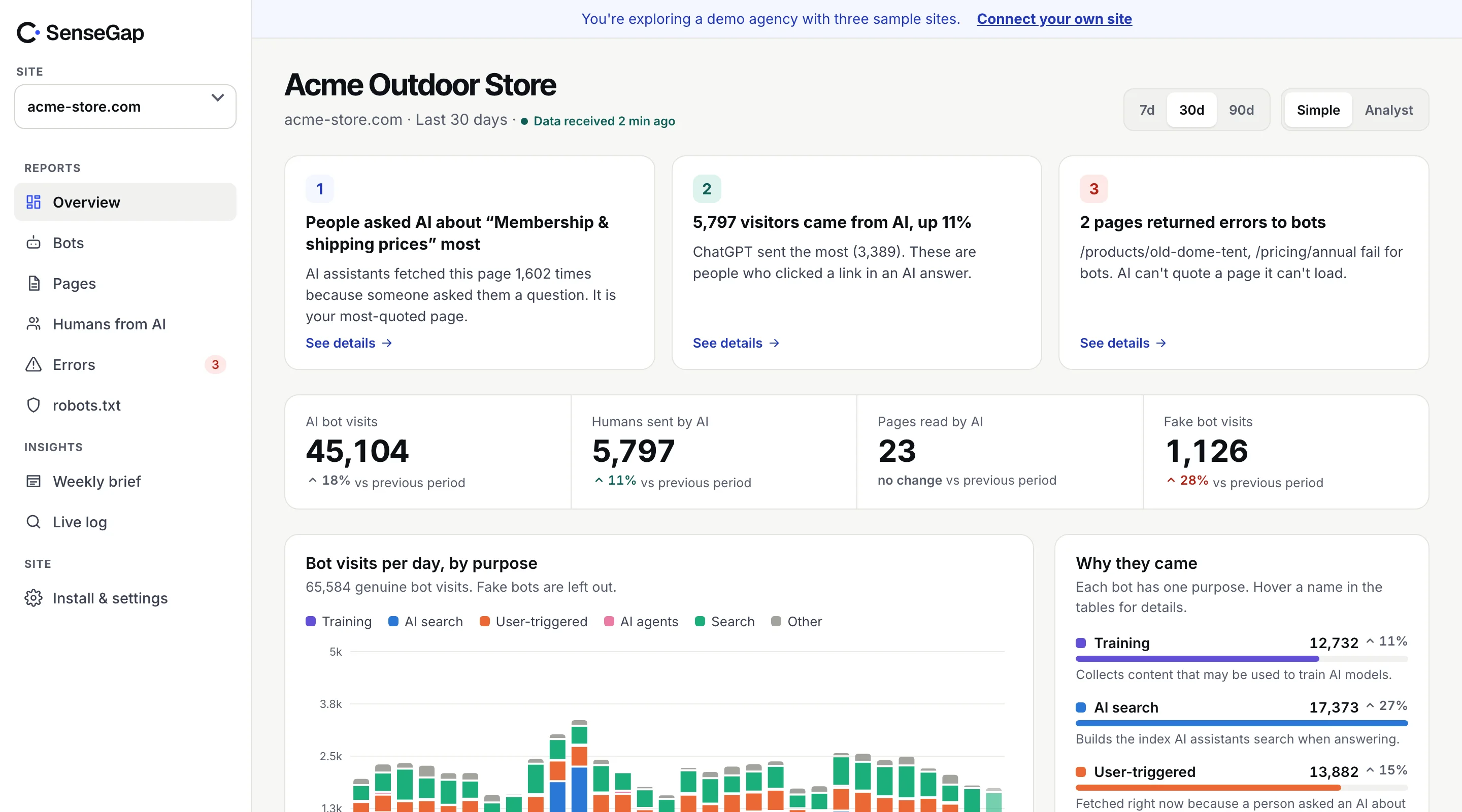
 See it on a real storeBots, pages and people sent by AI on an example store. No sign-up.
OpenAI sends at least three different bots to websites, and they look almost the same in a log file. One collects pages that may train future models. One builds the index ChatGPT searches. One opens your page this second because a person asked ChatGPT something.
If you count them together, you get a number that means nothing. If you count them apart, you can see whether anyone is asking ChatGPT about you. This post explains the difference.
OpenAI's three bots, side by side
OpenAI documents its crawlers on one page, and each has its own user agent and its own published list of IP addresses. The names are similar, but the jobs aren't.
| Bot | Job | Someone asked? | Follows robots.txt |
|---|---|---|---|
| GPTBot | Collects pages that may be used to train OpenAI's models | No | Yes |
| OAI-SearchBot | Builds the index ChatGPT search draws on | No | Yes |
| ChatGPT-User | Opens a page while ChatGPT answers a person | Yes, right now | May not apply, per OpenAI |
There is a fourth, newer visitor: ChatGPT agent. It runs a full browser and acts on a person's behalf, for example filling a form or comparing products across sites. It doesn't announce itself in the user agent at all. We cover it in our post on Web Bot Auth.
GPTBot: training, not answers
GPTBot is the crawler most people have heard of, because it was the first one sites started blocking. It reads public pages that may be used to train OpenAI's future models.
A GPTBot visit tells you very little about demand. Nobody asked a question. The bot is working through the web on its own schedule, and the pages it reads today may end up in a model months from now, or not at all.
What GPTBot visits do tell you:
- Whether your site is reachable for training crawls at all. A long gap can mean a firewall rule or a robots.txt line is blocking it.
- Which parts of your site it reaches. Large sites often find whole sections it never opens.
- Whether your server is answering with errors. A crawler that keeps getting 5xx responses slows down.
OpenAI says a Disallow for GPTBot is a signal that your content should not be used for training. It is separate from OAI-SearchBot, so blocking GPTBot doesn't remove you from ChatGPT search.
OAI-SearchBot: getting into ChatGPT search
OAI-SearchBot crawls pages so they can appear, with a link, in ChatGPT's search answers. OpenAI says it isn't used to train models.
Think of it as the AI version of a search engine crawler. If it can't read a page, that page is less likely to be quoted and linked when someone searches in ChatGPT. OpenAI says sites that opt out of OAI-SearchBot aren't shown in ChatGPT search answers, though they can still appear as plain navigational links.
For most businesses that want to be found, this is the bot you most want to let in. Blocking GPTBot while allowing OAI-SearchBot is a common and reasonable setup: you stay out of training, and stay in search.
ChatGPT-User: a person is waiting for an answer
ChatGPT-User is different from the other two. It doesn't crawl. It fetches a page because a person, right now, asked ChatGPT something and ChatGPT decided to open your page to answer. OpenAI says custom GPTs use it too.
That makes it the most valuable bot visit you can get. Each one is a question about something your page covers. A ChatGPT-User visit to your pricing page means someone asked a question your pricing page could answer.
Because a person started the fetch, OpenAI says robots.txt rules may not apply to ChatGPT-User. Compare it to a browser: robots.txt was written for automated crawlers, not for someone opening a link.
Two more things make ChatGPT-User visits easy to misread:
- They are only part of the questions. ChatGPT often answers from its search index or from what the model already knows, without opening your page. So these visits are a floor, not a total.
- One question can open several pages. ChatGPT may open your pricing page and your shipping page within the same few seconds for one answer. Counting requests overstates the number of questions.
How to tell them apart in your logs
Each bot names itself in the User-Agent header. Here is what the lines look like in a typical nginx access log. The addresses are documentation examples, not real OpenAI addresses, and the version numbers change over time, so match on the bot's name, not the whole string.
203.0.113.10 - - [28/Oct/2026:09:14:02 +0000] "GET /blog/sizing-guide HTTP/1.1" 200 18234 "-" "Mozilla/5.0 AppleWebKit/537.36 (KHTML, like Gecko); compatible; GPTBot/1.2; +https://openai.com/gptbot"
203.0.113.24 - - [28/Oct/2026:09:20:41 +0000] "GET /pricing HTTP/1.1" 200 9120 "-" "Mozilla/5.0 AppleWebKit/537.36 (KHTML, like Gecko); compatible; OAI-SearchBot/1.0; +https://openai.com/searchbot"
203.0.113.51 - - [28/Oct/2026:09:21:07 +0000] "GET /pricing HTTP/1.1" 200 9120 "-" "Mozilla/5.0 AppleWebKit/537.36 (KHTML, like Gecko); compatible; ChatGPT-User/1.0; +https://openai.com/bot"
A quick way to count each one from the command line:
grep -oE "GPTBot|OAI-SearchBot|ChatGPT-User" access.log | sort | uniq -cThat gives you claimed visits. The user agent is plain text and any script can copy it, so the next step is checking each address against OpenAI's published lists: gptbot.json, searchbot.json and chatgpt-user.json. A request that claims to be GPTBot from an address outside its list isn't GPTBot. We walk through that in how to verify AI bots.
What to watch for each one
Once the three are counted apart, each one answers a different question.
GPTBot
Is it still coming, and is it reaching the pages you care about? A sudden stop usually means something on your side changed: a new firewall rule, a CDN bot setting, or a robots.txt edit.
OAI-SearchBot
How often does it come back to your most important pages? A page it hasn't opened in months may be out of date in ChatGPT search. Check that it gets a 200 response, not a redirect chain or an error.
ChatGPT-User
Which pages does it open, and which ones together? This is where the questions show. If ChatGPT-User keeps opening a page that returns 404, people are asking a question your site used to answer and no longer does. Fixing that page is often the quickest win in the whole report. See AI bots hitting 404s.
How SenseGap counts them
SenseGap records every request from a known bot, checks the address against the operator's published list, and sorts the visit by purpose: training, AI search, or answering a person. The three OpenAI bots never land in the same number.
Visits from bots that answer people, such as ChatGPT-User, Claude-User and Perplexity-User, feed a separate report. From the pages opened together, SenseGap estimates the likely topic of the question, and labels it as an estimate. Nobody outside OpenAI can see the actual prompt. Here's what you can and can't see.