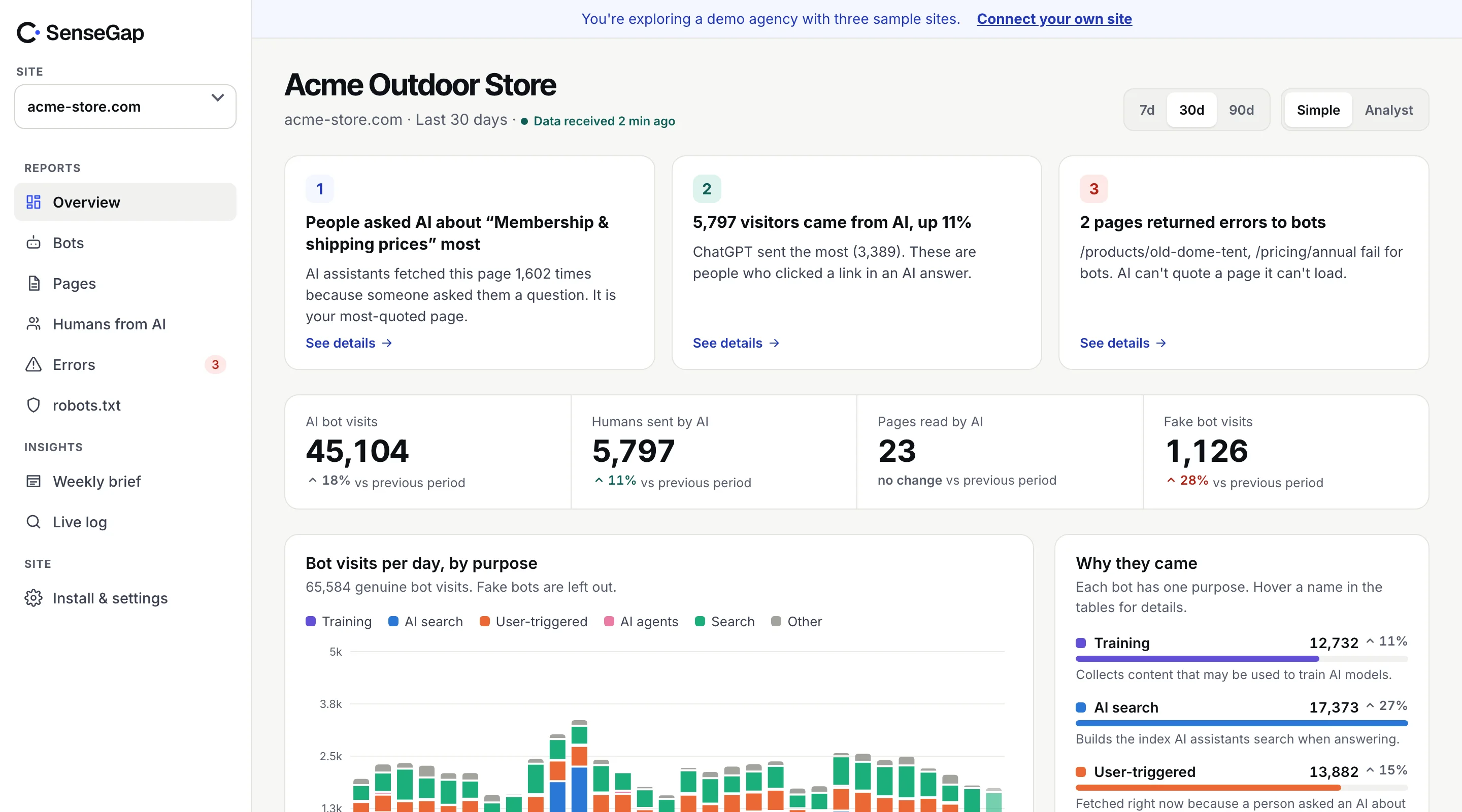
 See it on a real storeBots, pages and people sent by AI on an example store. No sign-up.
Comparison, SenseGap and Google Analytics.
SenseGap vs Google Analytics. GA4 sees the people on your site. SenseGap sees the AI that reads it for them.
The question it answers
Who visited my site, where they came from, and did they convert?
The question it answers
Which AI bots read my site, which pages they rely on, and what were people likely asking?
At a glance, the differences that matter.
Different jobs, very little overlap. Keep GA4 for your visitors. Add SenseGap for the AI that reads your pages for them.
| Google Analytics | SenseGap | |
|---|---|---|
| How it collects | JavaScript tag that runs in each visitor's browser | Cloudflare Worker that sees every request at the edge |
| AI crawlers (GPTBot, ClaudeBot, PerplexityBot) | Not seen: bots don't run the tag, and known bots are filtered out | 55 bots identified, each sorted by purpose |
| Is the bot real? | Not covered | Checked against published IP ranges or reverse DNS for 25 bots |
| Pages AI reads | Not covered | Every page, per assistant, and how often each comes back |
| People sent by AI | An AI Assistant channel for visits referred by tools like ChatGPT and Gemini | Visits from ChatGPT, Perplexity, Gemini, Claude and Copilot, per landing page |
| What people likely asked | Not covered | Likely topics, inferred from the pages assistants open together, labelled Estimate |
| Errors AI hits | Not covered | 404s, 5xx and blocks served to AI bots, per page |
| Conversions, funnels, ads | Yes, in depth | No. SenseGap is not a web analytics replacement |
| Price | Free (Analytics 360 is the paid enterprise edition) | $9, $29, $89 or $299 a month, by size |
Fair play, where GA4 is the better tool.
GA4 is the right tool for your human visitors. Nothing in SenseGap replaces it, and we don't try to.
Full visitor journeys
Sessions, engagement, paths through the site and returning users, measured in the browser.
Conversions and revenue
Goals, ecommerce events and funnels tie traffic to sales. SenseGap doesn't track conversions.
Google Ads and Search Console
Native links to Google's ad and search products, which no independent tool matches.
An AI Assistant channel
Since 2026, visits referred by assistants such as ChatGPT and Gemini get their own channel in standard reports.
Free for most sites
The standard version costs nothing, which is hard to argue with.
Audiences and segments
Build segments, compare cohorts and export to BigQuery for your own analysis.
What SenseGap adds, from your own traffic.
The half of AI traffic GA4 can't see. Before a person clicks from an AI answer, an AI bot has already read your page. That read is where SenseGap starts.
How it worksAI answering a person
When ChatGPT-User or Perplexity-User fetches a page, someone just asked a question. SenseGap counts those visits per page.
Which pages AI relies on
See the pages each assistant reads most, and the ones it keeps coming back to.
Likely topics
Pages opened together in the same few seconds point to the question behind them. Always labelled Estimate.
Fake bots caught
Anyone can type GPTBot into a user agent. SenseGap checks the address and marks each visit Real, Unverified or Fake.
Errors AI hits
A 404 or a block that no person ever sees can still keep you out of AI answers. SenseGap lists them per page.
What to fix next
Plain-English insights: what was measured, what it probably means, and the next step.
Why GA4 misses it, in one log line.
AI bots fetch your page and leave. They never run JavaScript, so the GA4 tag never loads and nothing is sent to Google Analytics.
GET /pricing  200
User-Agent: … compatible; ChatGPT-User/1.0; +https://openai.com/bot
→ HTML sent, no scripts run, nothing reaches GA4
Google Analytics measures what happens in a browser after a page loads. An AI assistant reading your pricing page for someone is a single server request: it downloads the HTML and moves on. GA4 also excludes known bot traffic from its reports by design, which is right for a tool about people.
SenseGap sits at the other end. A Cloudflare Worker sees each request at the edge, after your site has answered, so it adds no delay. Ordinary visits are filtered out before anything is sent to us. Only bots and visits from AI answers are recorded. See how it works and what we store.
Some AI apps open links without saying where the visitor came from. GA4 files those visits under Direct, and SenseGap can't attribute them either, unless the link carries a tag such as utm_source=chatgpt.com, which SenseGap reads. The bot reads behind those clicks are still counted in SenseGap.
Which to choose, by the question you need answered.
Most sites should run both. They answer different questions and don't overlap, so this is rarely an either-or.
Choose Google Analytics if
- You need to measure visitors, conversions and revenue
- You run Google Ads and need attribution
- You want free web analytics for people
Choose SenseGap if
- You want to know whether ChatGPT, Claude or Perplexity read your site
- You need to see which pages AI relies on, and which it hits errors on
- You want to tell real AI bots from fake ones
- You report on AI search to clients or your boss
Use GA4's AI Assistant channel to see how many people arrive from AI answers and whether they convert. Use SenseGap to see what AI read before they came, and which pages to fix so AI keeps citing you.
Pricing, as each company publishes it.
GA4 is free. SenseGap starts at $9. Monthly plans by sites and bot visits, with no free plan.
SenseGap pricing| Google Analytics | SenseGap | |
|---|---|---|
| Entry price | Free | $9/mo Starter: 1 site, 300k bot visits |
| More sites and history | Free, within standard GA4 limits | $29/mo Pro: 3 sites, 3M bot visits |
| Agencies and client sites | Free, within standard GA4 limits | $89/mo Studio: unlimited sites, 8M bot visits |
| Large sites and enterprise | Analytics 360, priced by Google sales | $299/mo Scale: unlimited sites, 30M bot visits |
Questions, people ask before they pick.
Questions, answered plainly
Can Google Analytics track AI crawlers like GPTBot?
No. GA4 collects data with a JavaScript tag that runs in the browser, and AI crawlers don't run it. Google Analytics also filters known bot traffic out of its reports. To see AI crawlers you need server, CDN or edge data, which is what SenseGap uses.
Does Google Analytics show traffic from ChatGPT?
It shows people who click a link in ChatGPT and land on your site, when the visit carries a referrer. Since 2026 GA4 groups visits from assistants such as ChatGPT and Gemini in an AI Assistant channel. It doesn't show ChatGPT reading your pages.
Is SenseGap a Google Analytics alternative?
No. SenseGap doesn't track human visitors' journeys, conversions or ads. It measures AI bots and the people they send, which GA4 can't see. Most sites use both.
Why does ChatGPT traffic show up as Direct in GA4?
Some AI apps open links without a referrer, so GA4 can't tell where the visit came from and files it under Direct. No analytics tool can attribute those visits without a referrer or a tag such as utm_source=chatgpt.com.
Do I need to add a script to my site for SenseGap?
No. SenseGap collects through a Cloudflare Worker, which needs no code on your pages and runs after the response is sent, so it adds no delay.
Can SenseGap see what people typed into ChatGPT?
No one outside the AI company can see prompts. SenseGap infers likely topics from the pages assistants open together, and labels them Estimate.
Does SenseGap set cookies or track visitors?
No. Nothing runs in visitors' browsers. Ordinary visits are filtered out before anything is sent, and visit records keep a shortened IP address and are deleted after 90 days.
Sources, checked October 27, 2026.
Everything this page says about Google Analytics comes from its public pages, listed below. Products change quickly. If something here is out of date, write to hello@sensegap.com and we will fix it.
- Google Analytics Help: Traffic-source dimensions (AI Assistant channel)
- Google Analytics Help: Known bot-traffic exclusion
- Google Marketing Platform: Analytics vs Analytics 360
Google Analytics is a trademark of its owner. SenseGap is not affiliated with it.
More comparisons, for the other tools on your list.
All comparisons- SenseGap vs Cloudflare AI Crawl ControlWhich AI crawlers hit my site, and which should I allow, block or charge?
- SenseGap vs Known AgentsWhich AI agents and bots visit my site, and how do I control them?
- SenseGap vs ProfoundHow does my brand show up in AI answers compared with competitors?
- SenseGap vs Peec AIHow visible is my brand in AI answers, and which sources do they cite?