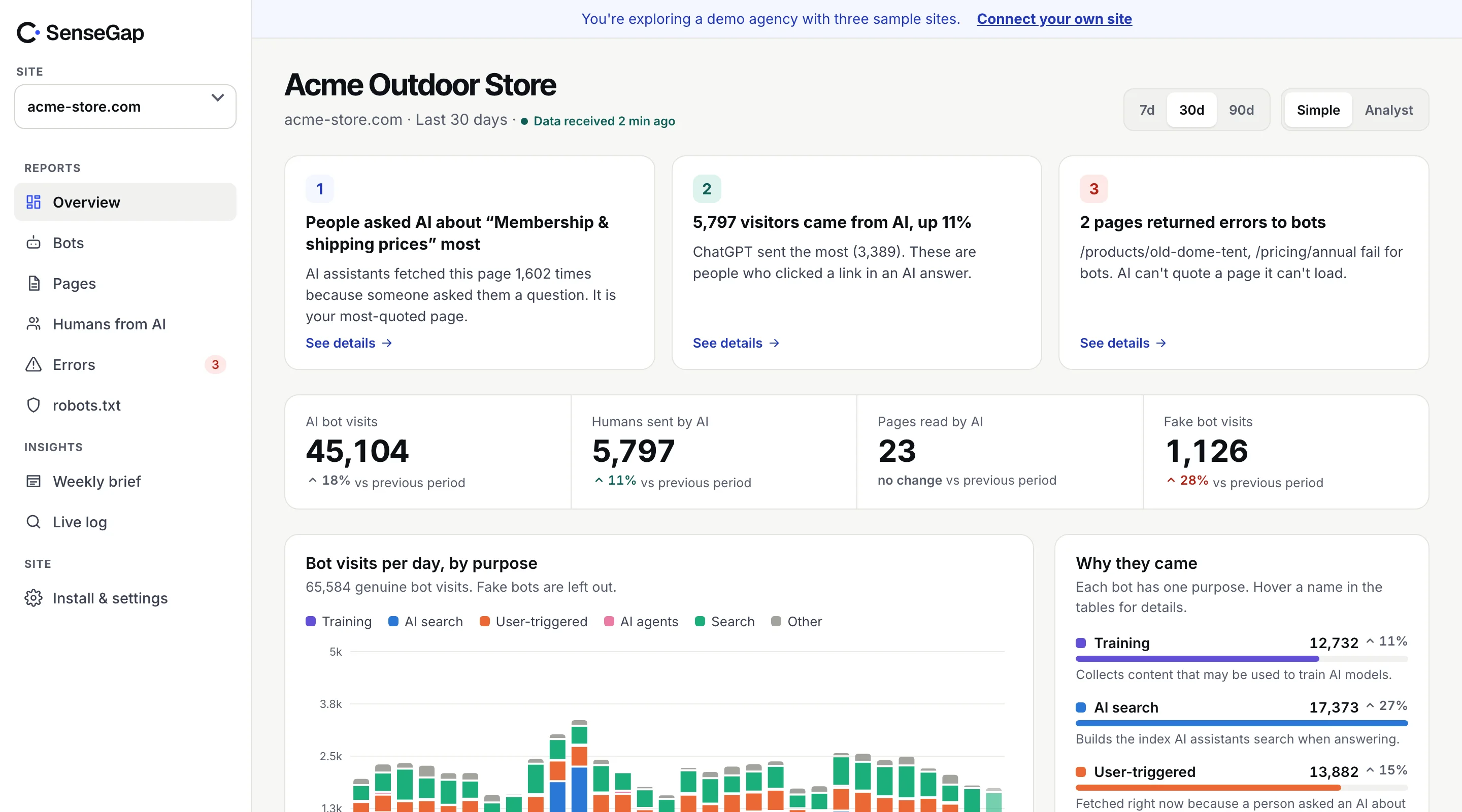
 See it on a real storeBots, pages and people sent by AI on an example store. No sign-up.
Adding User-agent: GPTBot and Disallow: / to robots.txt is one of the most common changes sites have made in the last few years. Many did it expecting to disappear from ChatGPT. That's not what it does.
AI companies now run separate bots for training, search and live answers, and robots.txt affects each differently. This guide goes through what each rule actually stops, the rule that catches people out, and when robots.txt isn't enough.
What blocking each AI bot stops
| Block | Stops | Doesn't stop |
|---|---|---|
| GPTBot | Use of your pages for OpenAI training, per OpenAI | Appearing in ChatGPT search (OAI-SearchBot) or live answers (ChatGPT-User) |
| OAI-SearchBot | Being shown in ChatGPT search answers, per OpenAI | Plain navigational links; training is controlled by GPTBot |
| ChatGPT-User | May not apply: OpenAI says these person-initiated fetches may not follow robots.txt | — |
| ClaudeBot | Anthropic's training crawler | Claude-SearchBot and Claude-User |
| Claude-SearchBot | Crawling for Claude's search, which Anthropic says may make you less visible there | Claude-User fetches |
| Claude-User | Claude fetching your pages when a person asks, per Anthropic | — |
| PerplexityBot | Perplexity's search index | Perplexity-User, which Perplexity says generally ignores robots.txt |
| Google-Extended | Use for Gemini training and grounding, per Google | Google Search, including how Googlebot crawls |
| Applebot-Extended | Use for Apple's AI training, per Apple | Applebot for Siri and Spotlight |
| CCBot | Common Crawl's archive, which many AI models train on | Copies already in past archives |
The pattern: training can usually be turned off cleanly. Search can be turned off, at the cost of visibility. Live answers often can't be controlled by robots.txt at all.
Three common setups
Stay out of training, stay in AI search and answers
The most common choice for businesses that want to be recommended.
User-agent: GPTBot
Disallow: /

User-agent: ClaudeBot
Disallow: /

User-agent: CCBot
Disallow: /

User-agent: Google-Extended
Disallow: /

User-agent: Applebot-Extended
Disallow: /

User-agent: Meta-ExternalAgent
Disallow: /
Allow everything
No rules needed. If your robots.txt has a broad User-agent: * disallow for other reasons, add explicit groups for the AI bots you want to let in.
Keep AI out of one section
User-agent: GPTBot
User-agent: ClaudeBot
User-agent: PerplexityBot
Disallow: /members/
Disallow: /archive/
Several User-agent lines in a row share the rules below them.
The rule that catches people out
Under the robots.txt standard, RFC 9309, a crawler that finds a group naming it follows only that group. It ignores your User-agent: * rules entirely.
User-agent: *
Disallow: /admin/
Disallow: /cart/

User-agent: GPTBot
Disallow: /archive/
Here, GPTBot is now allowed into /admin/ and /cart/, because its own group doesn't mention them. Repeat any catch-all rules you still want inside every named group.
robots.txt is a request, not a lock
robots.txt only works for bots that choose to follow it. The major AI crawlers say they do. Scrapers, including ones pretending to be GPTBot, often don't. And user-triggered fetchers may not apply it by design.
To enforce a block, act at the server or CDN:
if ($http_user_agent ~* "(GPTBot|ClaudeBot|CCBot|Bytespider)") {
    return 403;
}
A user agent rule blocks the real bot and anyone using its name. To block only scrapers while letting real crawlers in, use your CDN's verified-bot features, which check addresses.
Details that matter
Where the file lives
robots.txt must sit at the root of each host: https://example.com/robots.txt. A file at /blog/robots.txt is ignored, and www.example.com and shop.example.com each need their own.
Names match the robots.txt token
Use the token the operator documents, which is usually the bot's name: GPTBot, ClaudeBot, PerplexityBot. Matching is case-insensitive, but a typo silently does nothing.
Longest match wins
When Allow and Disallow rules conflict, RFC 9309 says the most specific rule, the one with the longest matching path, wins. Disallow: /blog/ with Allow: /blog/public/ lets bots into /blog/public/ only.
Crawl-delay isn't standard
Crawl-delay isn't part of RFC 9309. Some crawlers read it and many ignore it, Google included. If a bot is too heavy, rate limits at your server or CDN are more reliable.
Changes take time
Crawlers cache robots.txt, commonly for up to a day. A new rule won't take effect the minute you save it.
Checking that your rules work
After a change, watch what happens over the next week. For each bot you blocked, its requests to disallowed paths should stop, apart from robots.txt itself, which it keeps fetching. If requests continue from verified addresses, the bot isn't following your rule, or the rule isn't written the way you think. If they continue only from unverified addresses, those are probably fakes using the name, and robots.txt was never going to stop them.
grep "GPTBot" access.log | awk '{print $7}' | grep "^/archive/" | sort | uniq -c | sort -rn | headHow to decide
- Want to be recommended by assistants? Keep search and answer bots in. Blocking training is your call; it doesn't remove you from AI search.
- Licensing your content? Block training, keep records of who crawls anyway. See the publisher playbook.
- Worried about server load? Look at who's actually heavy before blocking. It's often SEO tools or fake bots, not AI crawlers.
Whatever you choose, check what happens after. A rule you can't observe is a rule you can't trust.
How SenseGap checks your robots.txt
SenseGap reads your robots.txt every day and keeps a copy each time it changes. Its robots.txt report shows, bot by bot, what your file allows, and which bots fetched pages you disallowed, with verified addresses. Every bot page in the directory has copy-ready rules for that bot.