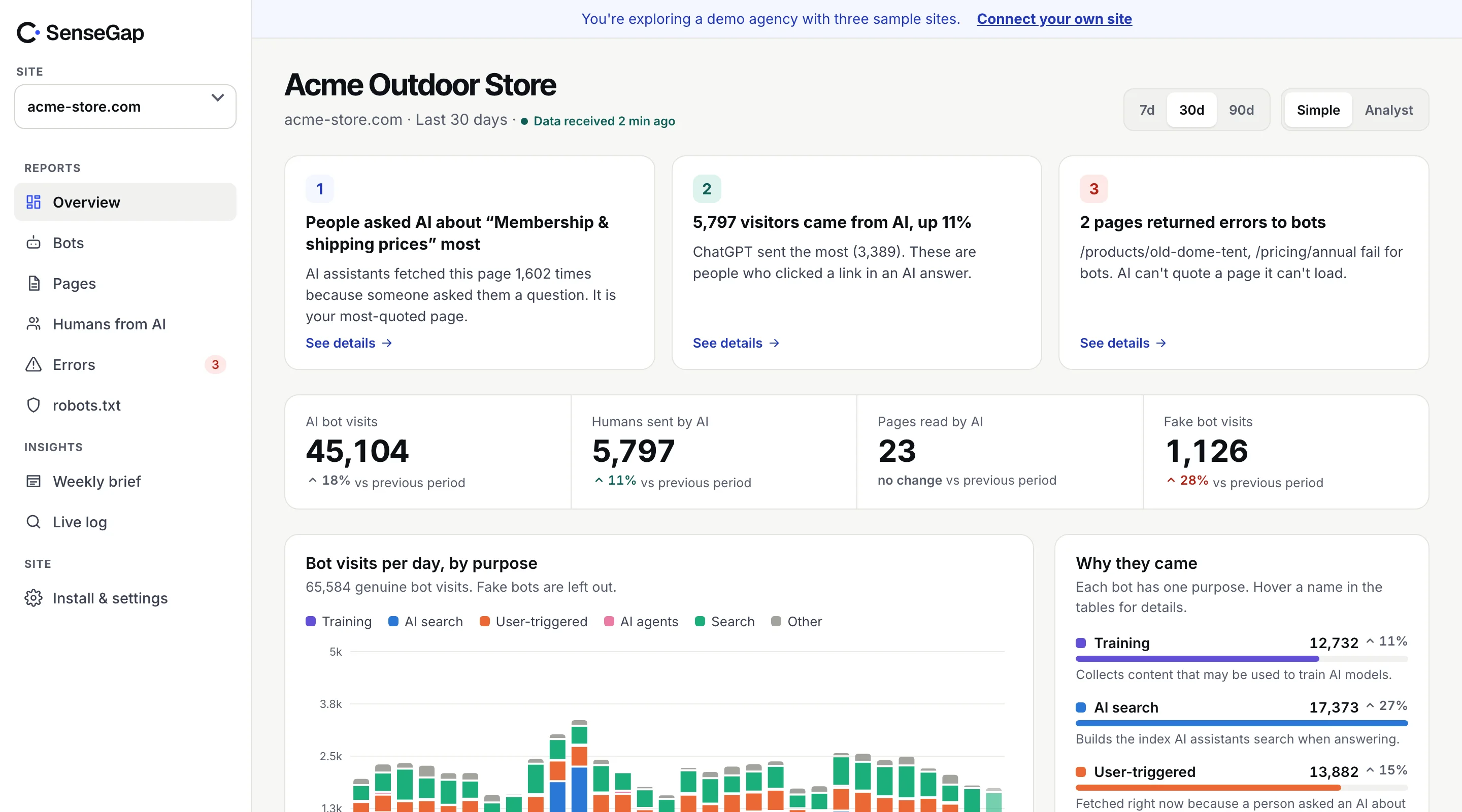
 See it on a real storeBots, pages and people sent by AI on an example store. No sign-up.
If you look at your logs for GPTBot and stop there, you're counting two groups: OpenAI's crawler, and everyone who has copied its name. The second group is real, and on some sites it's large.
This guide shows how to separate them with your own logs, what the fakes usually look like, and what to do once you've found them.
Why anyone pretends to be GPTBot
Sites treat well-known bots generously. Googlebot is allowed nearly everywhere because blocking it loses search traffic. Many sites that block AI scrapers still let a few named AI bots in. Some CDN rules and rate limits check the name and nothing else.
A scraper that sends a famous name gets the benefit of that trust for free. Changing a user agent is one line of code, so it's one of the first things scraping tools try when they get blocked.
There's a second effect for you as a site owner: fake visits pollute your numbers. A spike in “GPTBot” might be OpenAI, or it might be a scraper that changed its name on Tuesday.
Which names can be checked
You can only call a visit fake if the real operator publishes a way to check. Here is where the common names stand:
| Claimed name | Can it be checked? | How |
|---|---|---|
| GPTBot | Yes | OpenAI's gptbot.json IP list |
| ChatGPT-User | Yes | OpenAI's chatgpt-user.json IP list |
| OAI-SearchBot | Yes | OpenAI's searchbot.json IP list |
| PerplexityBot | Yes | Perplexity's perplexitybot.json IP list |
| Googlebot | Yes | Google's IP lists, or reverse DNS |
| Bingbot | Yes | Bing's IP list, or reverse DNS |
| CCBot | Yes | Common Crawl's ccbot.json IP list |
| ClaudeBot | Not in our directory | No published list to check against |
| Bytespider | No | Name only |
For names that can't be checked, the right label is “unverified”, not “fake”. A visit is fake only when it fails a check the operator publishes. Method details in how to verify AI bots.
Finding fakes in your logs, step by step
This takes about fifteen minutes with a day of nginx or Apache logs.
1. Pull every address that claims to be GPTBot
grep "GPTBot" access.log | awk '{print $1}' | sort | uniq -c | sort -rn > gptbot_ips.txt2. Download OpenAI's list
curl -s https://openai.com/gptbot.json -o gptbot.json3. Check each address against the ranges
import ipaddress, json, sys

ranges = [ipaddress.ip_network(p.get("ipv4Prefix") or p.get("ipv6Prefix"))
          for p in json.load(open("gptbot.json"))["prefixes"]]

for line in open("gptbot_ips.txt"):
    count, ip = line.split()
    addr = ipaddress.ip_address(ip)
    real = any(addr in r for r in ranges)
    print(("REAL " if real else "FAKE ") + ip.ljust(40) + count)
Every line marked FAKE is an address that sent the GPTBot name without being OpenAI. Repeat with the other lists for ChatGPT-User, PerplexityBot and the rest.
What fake AI bots usually look like
Once you have a list of failures, a few patterns tend to show up:
- Cheap hosting and residential networks. Real AI crawlers come from their operator's own ranges. Fakes come from rented servers, proxy networks and home connections.
- Odd user agent strings. Typos, old version numbers, or a bot name pasted into a normal browser string.
- Different behavior. Fakes often hit search pages, feeds, APIs or large files that the real crawler rarely asks for, and they ignore robots.txt.
- Bursts. Hundreds of requests in a minute from one address, then nothing.
None of these is proof on its own. The IP check is the proof; the patterns help you decide what to do.
Why fakes distort AI dashboards
Fake bots don't just add noise. They push your numbers in a particular direction, which makes them easy to misread.
- They inflate the bots people watch most. Scrapers copy the famous names. A dashboard that counts by user agent shows GPTBot and Googlebot growing when the growth is someone else.
- They create false spikes. A scraper run can send thousands of requests in an hour. Read as OpenAI, it looks like a surge of AI interest in a section of your site.
- They make robots.txt look broken. Fakes rarely respect robots.txt. Counted as the real bot, they make it look as if OpenAI ignores your rules, when the real GPTBot may follow them exactly.
- They pollute the questions. A fake ChatGPT-User request looks like a person's question. Counting it means estimating demand from a scraper's crawl.
Each of these leads to a wrong decision: blocking a bot that was behaving, reporting AI growth that isn't there, or rewriting pages for questions nobody asked. Verification before counting avoids all four.
What to do about them
- Remove them from your AI numbers. Any report on AI crawling should count only verified visits, or show verified and unverified separately.
- Stop allowing bots by name. If a firewall rule says “allow user agent contains Googlebot”, replace it with your CDN's verified-bot setting, which checks the address.
- Block the worst offenders. If fakes load heavy pages, block their addresses or networks at your CDN. Don't block by bot name, or you block the real one too.
- Keep the evidence. If a fake is scraping content you license, a record of addresses, times and pages is what you'll need. See the publisher playbook.
How SenseGap handles fakes
SenseGap runs the IP and reverse DNS checks on every visit that claims a known bot name, using the operators' lists downloaded fresh each day. A visit that fails is labeled Fake, kept out of every AI report, and listed on its own with the address block, network and the check it failed. Bots that can't be checked are labeled Unverified rather than guessed at.
The verification code and bot list are open source, so you can run the same checks yourself.