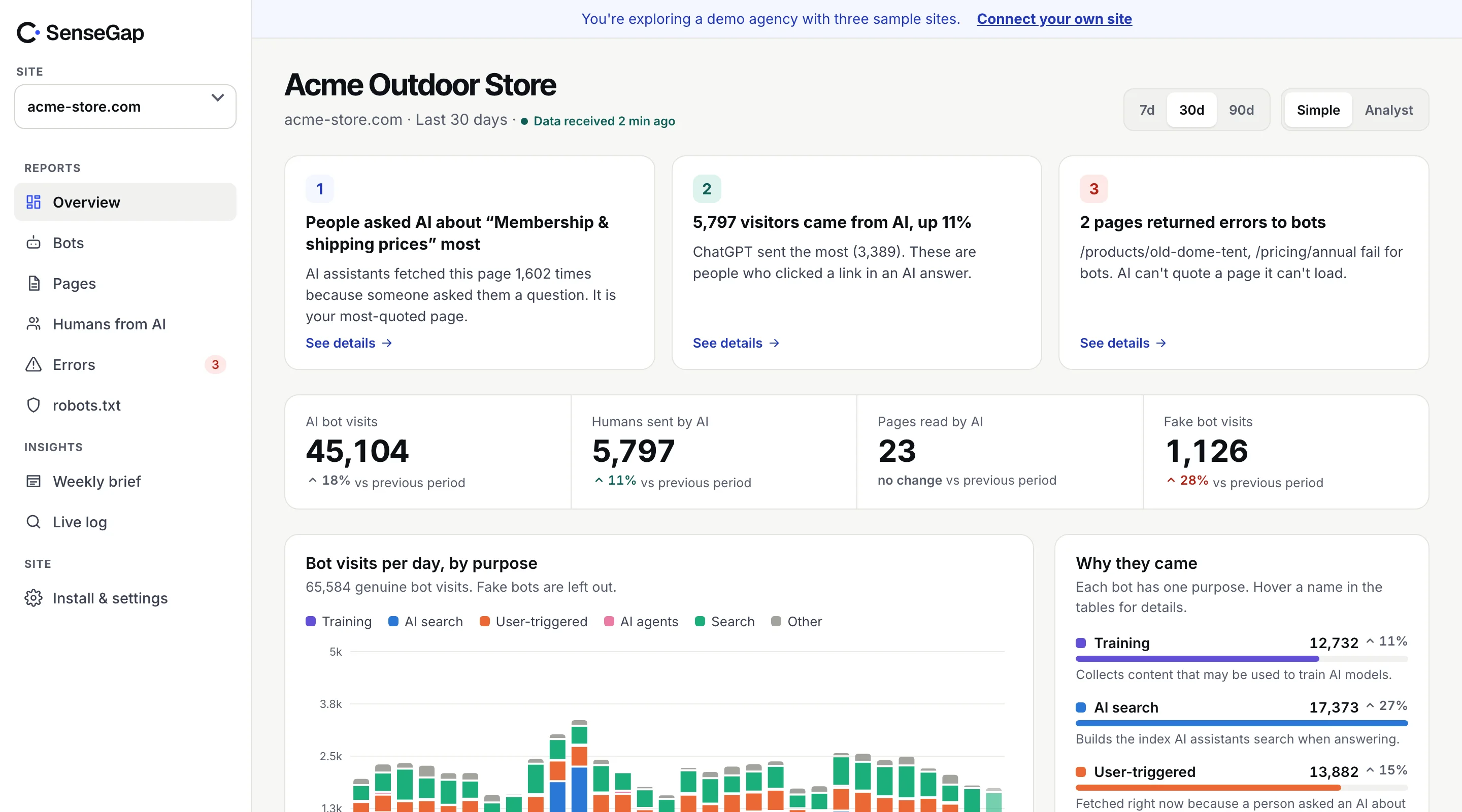
 See it on a real storeBots, pages and people sent by AI on an example store. No sign-up.
It's the first question almost everyone asks about AI and their website: what are people asking ChatGPT about us?
The short answer is that nobody outside OpenAI can see the prompts, and anyone who says otherwise is showing you something else. The longer answer is more useful: there are three things you can measure, and each is a partial view of the same question.
Prompts stay with the AI company
When someone types a question into ChatGPT, Claude, Perplexity or Gemini, the text goes to that company and stays there. It isn't shared with the sites the assistant reads, it isn't in any referrer header, and it isn't sold as a data feed.
Even when ChatGPT opens your page to answer, the request it sends contains the page address and its own name. Not the question. That is a privacy decision, and a sensible one: those prompts are often personal.
Three things you can measure instead
| Approach | What it measures | What it can't tell you |
|---|---|---|
| Prompt tracking | What an assistant answers when a tool sends it sample prompts | Whether real people ask those prompts, or how often |
| AI visits to your site | When assistants open your pages to answer real people | The exact question; questions answered without opening your site |
| People sent by AI | Visitors who clicked a link in an AI answer | Answers that mentioned you without a click |
They answer different questions, so it helps to know which one a tool is giving you.
What prompt-tracking tools actually do
A large group of AI visibility tools, often grouped under GEO (generative engine optimization), works like this: you choose a list of prompts, such as “best accounting software for freelancers”. The tool sends them to several assistants every day and records whether your brand appears in the answers, and where.
That is a useful measurement of how assistants respond to those prompts. It's close to rank tracking in classic SEO. What it can't do is tell you whether real people ask those prompts, in those words, or how many of them. The prompts are a guess, picked by you or the tool.
Answers also vary. The same prompt can produce different answers by account, location and time, so a single daily sample is noisy. Good tools say this clearly.
What AI visits to your site show
When an assistant needs fresh information, it opens pages with a user-triggered fetcher such as ChatGPT-User, Claude-User or Perplexity-User. Each visit is a real person's question reaching your site. You see which page, when, and whether it loaded.
The pattern of visits is what makes them useful. If ChatGPT-User opens your returns policy and your shipping page in the same few seconds, again and again, people are likely asking how returns and delivery work. That's an inference from measured visits, not a prompt.
Two limits apply. The topic is an estimate, and it should always be labeled that way. And assistants answer many questions without opening your site at all, from their search index or the model itself. So visits show the questions that reached you, not all of them. More in user-triggered AI visits.
What people sent by AI show
When someone clicks a link in an AI answer, they arrive in their own browser with a referrer such as chatgpt.com or perplexity.ai. Normal analytics can count these. The landing page hints at the question: someone who lands on your comparison page probably asked for a comparison.
Most AI answers don't produce a click, so this is the smallest of the three numbers. It is also the one closest to revenue. See how to track traffic from ChatGPT.
Putting the three together
No single view answers “what are people asking?” Together they get close:
- Visits show which topics bring real questions to your pages, and which pages fail them.
- Referrals show which of those answers send people on to you.
- Prompt tracking, used with care, shows how assistants answer the questions you suspect people ask, including ones where you don't appear at all.
A practical order: start with what's measured. Fix the pages assistants open most and the ones that fail. Then use prompt sampling to explore topics where you'd expect visits and see none.
A worked example
Here is how the three views combine for a fictional dental clinic. The numbers are made up to show the method.
- Measured visits: over a month, ChatGPT-User and Perplexity-User opened the implants price page 40 times, and in most of those visits also opened the financing page within a few seconds.
- Measured referrals: 12 people arrived from chatgpt.com and perplexity.ai, most landing on the implants page.
- Estimate: people are asking assistants what implants cost and whether they can pay in instalments.
- Prompt sample: the clinic checks how assistants answer “dental implants cost with payment plan” in its city, and finds it's mentioned but with an old price.
The visits pointed to the topic, the sample checked the answer, and the fix is clear: update the price on the page assistants keep opening, and state the financing terms in plain text there too. Next month, the same measured numbers show whether anything changed.
Notice what the clinic never claimed: that it knows what anyone typed. It didn't need to. The pages assistants opened, and when, were enough to act on.
Ask any tool: measured or estimated?
Whatever you use, one question keeps you out of trouble: is this number counted, or estimated? “ChatGPT opened /pricing 40 times this week” is a count. “People are asking about annual plans” is an estimate. “You rank #2 for best CRM” is a sample. All three can go in a report, as long as each is labeled for what it is.
SenseGap is built on that rule. Visits and referrals are measured. Likely topics are estimated from visit patterns and always marked Estimate. We don't show prompts, because we can't see them. How it works.