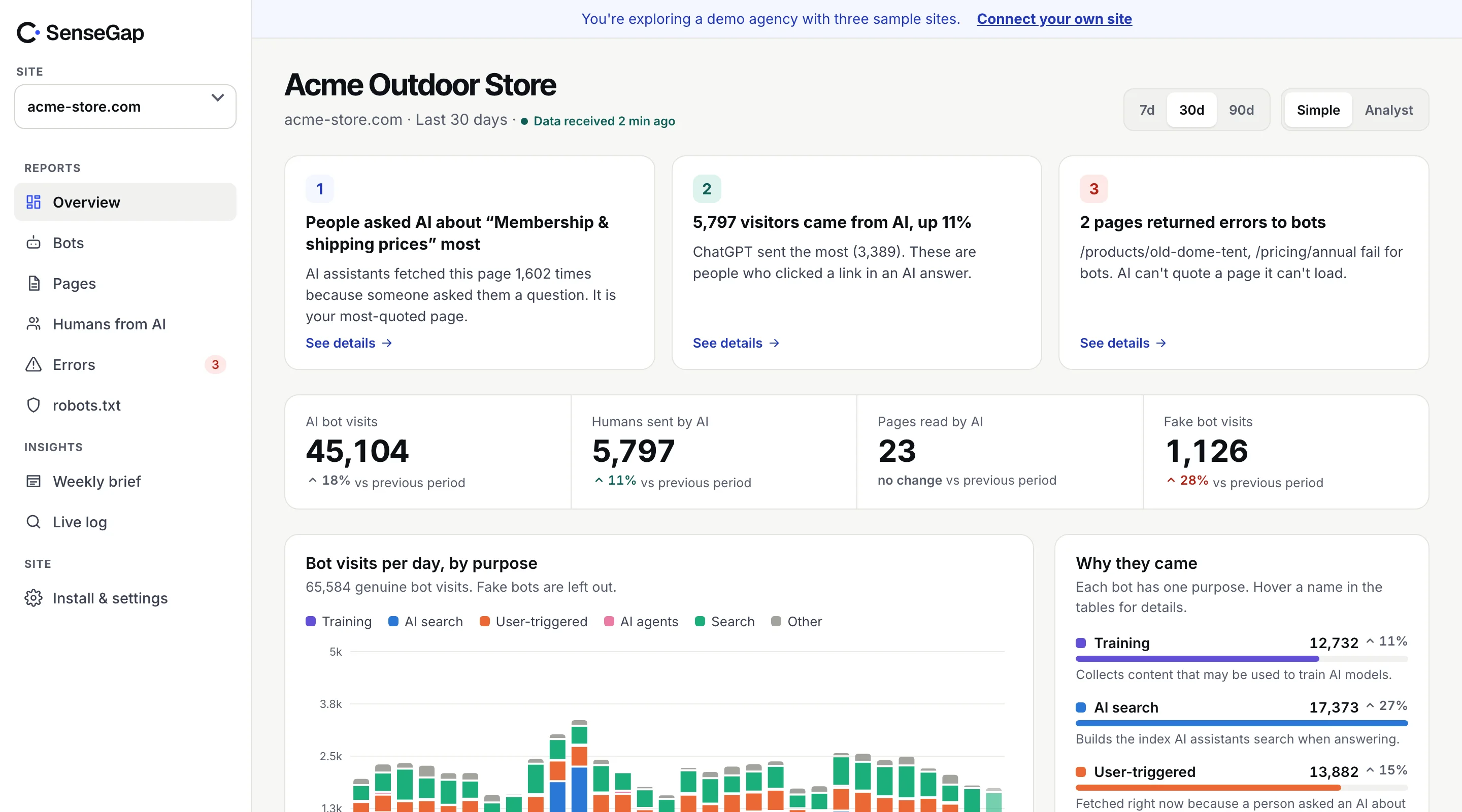
 See it on a real storeBots, pages and people sent by AI on an example store. No sign-up.
When an assistant like ChatGPT or Perplexity cites your page and someone clicks through, that visitor arrives in a normal browser. Your analytics can count them. By default, though, they're scattered across Referral and Direct, mixed with everything else.
This guide shows how to group them into one AI channel in GA4, which hosts to include, and what the number does and doesn't tell you.
What counts as a visit sent by AI
A visit is sent by AI when a person clicked a link in an AI product's answer. You can recognize it two ways:
- The referrer is the assistant's domain, such as
chatgpt.comorperplexity.ai. - The link carries a tag. ChatGPT adds
utm_source=chatgpt.comto many links it shows, which survives even when the referrer doesn't.
Don't confuse these visits with AI bots. When ChatGPT reads your page to write the answer, that's ChatGPT-User, a bot that analytics tags never see. The click comes after, from a person. Why GA can't see the bots.
The AI referrer hosts to include
These are the AI products SenseGap recognizes by referrer today:
| Product | Referrer hosts |
|---|---|
| ChatGPT | chatgpt.comchat.openai.com |
| Perplexity | perplexity.aiwww.perplexity.ai |
| Claude | claude.ai |
| Gemini | gemini.google.combard.google.com |
| Microsoft Copilot | copilot.microsoft.comcopilot.cloud.microsoft |
| Meta AI | meta.aiwww.meta.ai |
| DeepSeek | chat.deepseek.com |
| Grok | grok.com |
| Le Chat | chat.mistral.ai |
| You.com | you.com |
| Poe | poe.com |
Products move domains now and then (ChatGPT moved from chat.openai.com to chatgpt.com), so check the list every few months.
Setting up an AI channel in GA4
GA4 lets you add your own channel to a custom channel group. Once it exists, AI visits get their own row in acquisition reports.
- In GA4, open Admin, then Data display, then Channel groups.
- Copy the default channel group, so you keep all the standard channels, and give it a name like “Channels with AI”.
- Add a new channel called AI assistants. Set the condition to Source → matches regex, and paste the expression below.
- Move the AI assistants channel above Referral. GA4 assigns each session to the first channel that matches, so if Referral comes first, it takes these visits.
- Save. In Reports → Acquisition → Traffic acquisition, switch the dimension to your new channel group.
(chatgpt\.com|chat\.openai\.com|perplexity\.ai|claude\.ai|gemini\.google\.com|bard\.google\.com|copilot\.microsoft\.com|copilot\.cloud\.microsoft|meta\.ai|chat\.deepseek\.com|grok\.com|chat\.mistral\.ai|you\.com|poe\.com)Because ChatGPT's tag sets the source to chatgpt.com, the same regex catches tagged links too.
Why this number is always a floor
Several things make AI referrals look smaller than they are:
- Apps drop the referrer. Clicks from some desktop and mobile apps arrive without one, so they land in Direct.
- People copy, they don't click. Someone who reads your company name in an answer and types it into the browser later counts as Direct or organic search.
- Consent banners. If a visitor declines analytics cookies, many GA4 setups don't record them fully.
- Most answers have no click. An assistant can recommend you by name without anyone visiting.
So treat the AI channel as a lower bound and watch its trend more than its size. A rising number is a good sign. A flat one doesn't mean AI isn't sending people.
What to look at once it's set up
Landing pages
The page someone lands on hints at what they asked. Visitors from AI often land deep, on a comparison, a guide or a pricing page, not your home page.
Assistant by assistant
ChatGPT, Perplexity and Copilot send different audiences to different pages. Split the channel by source to see which assistant sends whom.
Engagement and conversions
People who arrive from an answer have usually done some research already. Compare their conversion rate with organic search before you decide how much AI traffic is worth to you.
Before the click
Referrals only show the end of the path. The part before it, how often assistants open your pages to answer people, lives in your server logs. Together they show the full funnel: AI reads your page, then people arrive. See user-triggered AI visits.
In other analytics tools
The same approach works outside GA4.
- Plausible, Fathom, Matomo: filter or segment by source or referrer using the hosts above. Most show
utm_sourceas the source when it's present. - Server logs: the referrer is the field after the status and size in the combined log format. A quick count:
grep -E "chatgpt\.com|perplexity\.ai|claude\.ai|gemini\.google\.com|copilot\.microsoft\.com" access.log \
  | grep -vi "bot" | awk '{print $7}' | sort | uniq -c | sort -rn | head -20
Server-side counts include visitors who declined cookies and visitors with ad blockers, so they usually come out higher than tag-based numbers. Neither is wrong; they measure from different places.
Don't tag your own links with AI sources
If you put utm_source=chatgpt.com on links in your own emails or ads, those visits will be counted as AI referrals. Keep that source for the assistant's own tags.
How SenseGap counts them
SenseGap counts visits sent by AI at your edge or server, by referrer host and by utm_source=chatgpt.com. It stores the assistant, the day and the landing page, nothing about the person, and drops every other human visit before it leaves your side. You see people sent by each assistant next to how often that assistant read the same pages.
It doesn't need consent banners, because it sets no cookies and runs no script in the browser. How it works.