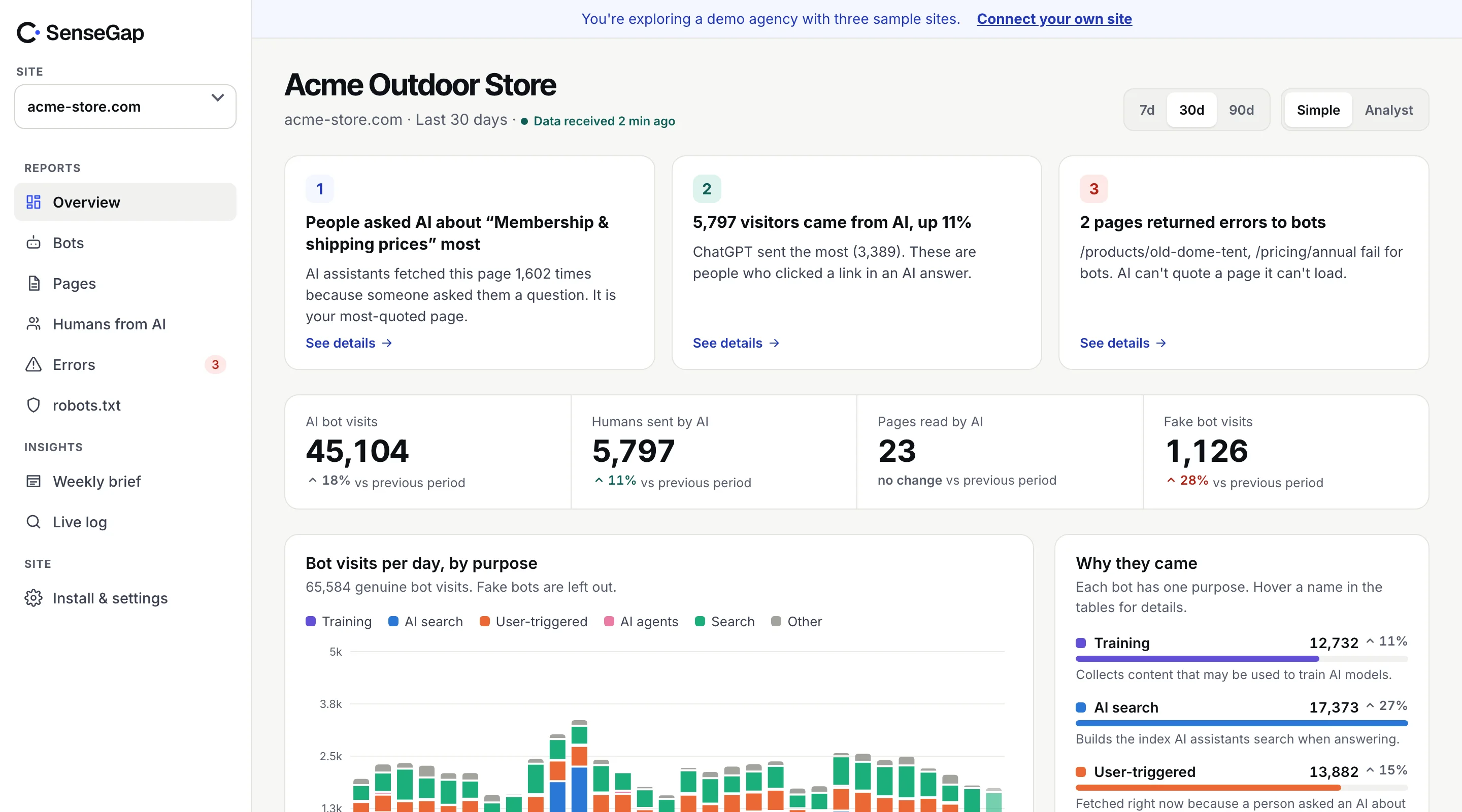
 See it on a real storeBots, pages and people sent by AI on an example store. No sign-up.
Open Google Analytics and look for GPTBot. You won't find it. Not because it never came, but because Google Analytics was built in a way that can't see it.
This isn't a setting you forgot to switch on. It comes from how tag-based analytics works. Once you see why, it's clear where AI bot traffic actually shows up.
How Google Analytics counts a visit
Google Analytics 4 counts a visit when a small piece of JavaScript, the tag, runs in the visitor's browser. The browser loads your page, then runs the tag, and the tag sends a hit to Google with the page, the referrer and some details about the device.
Everything depends on that one step: the visitor has to run your JavaScript. A person in Chrome or Safari does. Most bots don't.
AI crawlers don't run your JavaScript
A crawler like GPTBot, ClaudeBot or PerplexityBot asks your server for a page and reads the HTML that comes back. For most crawlers that is the end of it. They have no reason to run your scripts, and running scripts across billions of pages costs a lot of computing power, so most don't.
The same goes for the fetchers that answer people in real time, such as ChatGPT-User and Claude-User. They want your text, fast. Your analytics tag never runs, so Google never hears about the visit.
And when a bot does run JavaScript, GA filters it out
Some automated visitors do run a full browser: AI agents that act for a person, headless browsers used for testing, some SEO tools. Even then, GA4 excludes traffic from known bots and spiders automatically, and you can't switch that off. The design goal of web analytics is to measure people, so bots are treated as noise to remove.
That was the right call for a long time. It is less right now that the bots themselves have become a channel: an AI assistant reading your page for someone is part of how that person finds you.
What Google Analytics does see: people sent by AI
There is one AI-related thing GA4 measures well: people who click a link in an AI answer. They are real visitors in real browsers, so the tag runs.
These visits show up as referrals from hosts like chatgpt.com, perplexity.ai, claude.ai, gemini.google.com or copilot.microsoft.com. ChatGPT also adds utm_source=chatgpt.com to many of its links. Some apps strip the referrer, so a share of these visits lands in Direct, which makes the referral count a floor.
We cover how to set this up in GA4 in how to track traffic from ChatGPT and other AI assistants.
The gap is everything that happens before the click. How often did ChatGPT open your page to answer someone who never clicked? Which pages does it read, and which ones fail? GA4 can't answer those.
Where AI bot visits actually show up
A bot's visit leaves a trace in one place for certain: the request itself. Every request reaches some piece of software that can record it.
| Where | Sees AI bots? | Notes |
|---|---|---|
| Analytics tag (GA4, Plausible, Fathom) | No | Needs JavaScript to run in a browser. |
| Server access logs (nginx, Apache) | Yes | Complete, but only for requests that reach the server. Cached pages served by a CDN may never get there. |
| CDN or edge (Cloudflare, Fastly) | Yes | Sees every request, cached or not. The most complete view. |
| CMS plugin (WordPress) | Partly | Misses pages served from a page cache. See our post on WordPress caching. |
| App middleware (Next.js, Express) | Yes | Sees what your app serves; static files on a CDN may bypass it. |
The simplest check is your raw access log. If you can open it, you can see AI bots today:
grep -iE "GPTBot|OAI-SearchBot|ChatGPT-User|ClaudeBot|Claude-User|Claude-SearchBot|PerplexityBot|Perplexity-User" /var/log/nginx/access.log | tail -20For WordPress sites on page caching, read why caching hides AI bots from plugins first. The log may be complete while the plugin isn't.
The same blind spot affects your content
The reason GA4 can't see AI bots has a second consequence that matters even more: if bots don't run JavaScript, they also don't see content that only JavaScript puts on the page.
Many sites load prices, product details, reviews or whole articles with JavaScript after the first HTML arrives. A browser shows the full page. An AI crawler reading the raw HTML may see an empty frame. You can check what a bot receives in seconds:
curl -s -A "GPTBot" https://example.com/pricing | grep -i "your key phrase"If the phrase you care about isn't in the output, AI assistants are unlikely to quote it. Server-side rendering or static HTML for key facts fixes it.
Why raw logs are only the start
Logs give you the requests. Turning them into answers takes three more steps that most log tools don't do for you.
- Check the bot is real. The user agent is just text. Anyone can send “GPTBot”. A real visit comes from an address on the operator's published list, or passes a reverse DNS check. See how to verify AI bots.
- Sort by purpose. A training crawl and a live answer are different events. Mixing them makes a crawl spike look like demand. See ChatGPT-User vs GPTBot.
- Keep it over time. Many hosts rotate logs after a few days or weeks. Trends need months.
Doing this once in a spreadsheet is a good exercise. Doing it every week is what a tool is for.
How SenseGap fills the gap
SenseGap reads requests where the bots actually appear. On Cloudflare, a small Worker sees every request, cached pages included, and reports only after your response has gone out, so it adds no wait for visitors. On WordPress, a plugin does the same from inside the site.
Every request from a known bot is checked against the operator's published IP list or reverse DNS, sorted by purpose, and kept. Ordinary human visits are dropped before anything leaves your side, and no script runs in your visitors' browsers. People who click through from AI answers are counted per assistant, so you see the whole path: AI reading your page, then people arriving from it.
It doesn't replace GA4. It covers the part GA4 was never designed to see. SenseGap compared with Google Analytics.