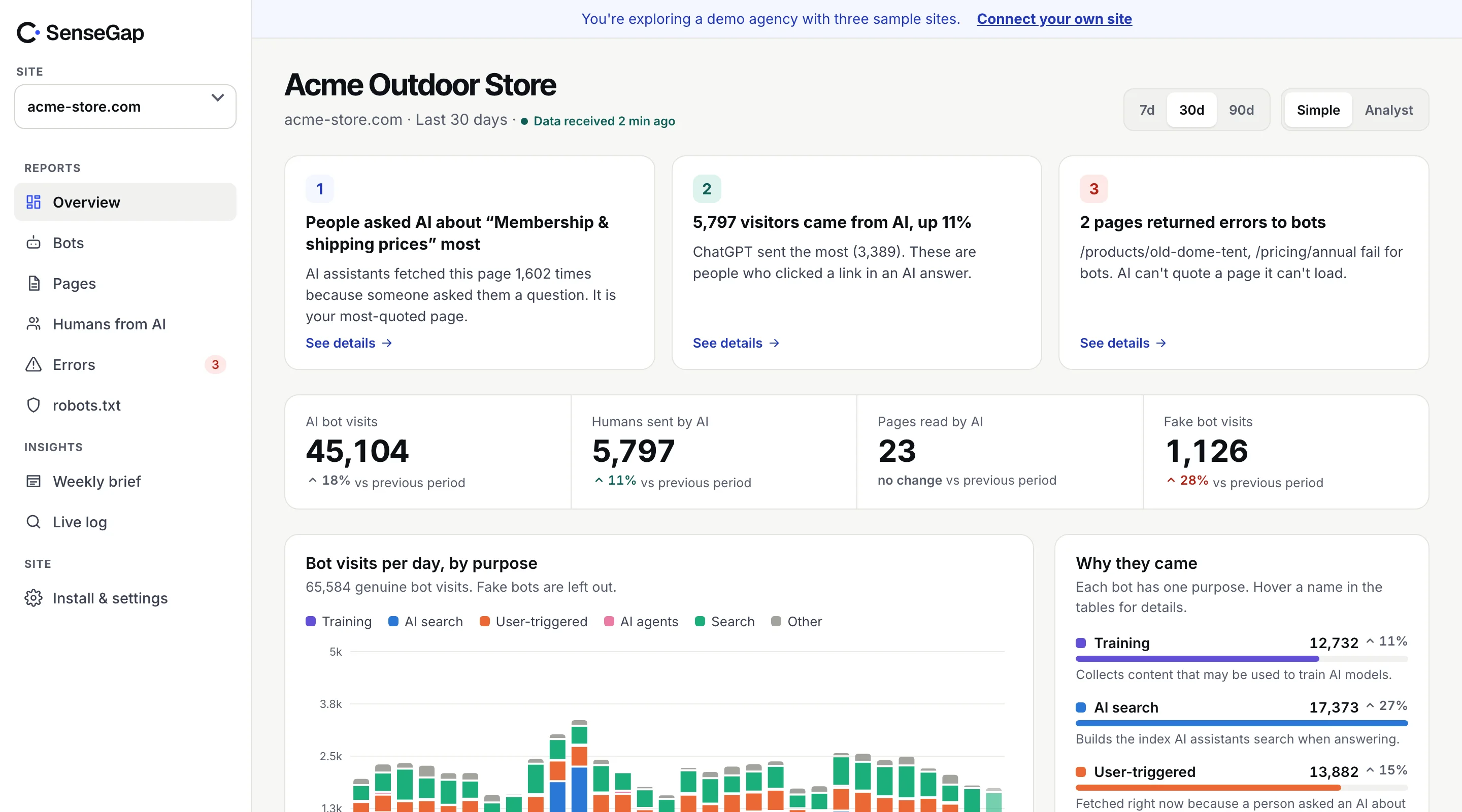
 See it on a real storeBots, pages and people sent by AI on an example store. No sign-up.
Clients have started asking their agencies the same question: are we showing up in ChatGPT? Most agencies answer with a screenshot of a single chat, or a visibility score from a tool that sends sample prompts. Neither holds up for long.
This playbook sets out a monthly report built on measured numbers: what AI actually did on the client's site, what it probably means, and what you'll do next. It fits on one page.
Why build the report on measured visits
A report you send every month needs numbers that mean the same thing every month. Measured visits do: a ChatGPT-User request to the pricing page in March is the same kind of event as one in June. You can show trends without explaining a methodology change.
Scores built from sample prompts move for reasons nobody controls: the assistant changed, the prompt list changed, the answer was different that morning. They're useful for exploring, but hard to defend when a client asks why the score dropped. More in what you can and can't see.
The five numbers to report
| Number | What it shows | Why the client cares |
|---|---|---|
| Times AI used the site to answer | Visits from fetchers like ChatGPT-User, Claude-User, Perplexity-User | People asked assistants questions this site answers |
| People sent by AI | Visitors who clicked through from AI answers | The part that can turn into leads and sales |
| Top pages AI opened for people | The 5 pages assistants used most | What AI thinks the business is about |
| Errors AI hit | Pages AI tried to open and couldn't | Lost answers, and a clear task for you |
| AI crawling, by company | Training and search crawls from OpenAI, Anthropic, Perplexity and others | Whether the site is reachable and indexed |
Report each one with last month's figure beside it. A trend is what clients remember.
What to leave out
- Unverified and fake bots. Count only verified visits for bots that can be checked. A spike from a scraper calling itself GPTBot is not news to share. See fake GPTBot traffic.
- Raw request totals. “48,000 AI requests” mostly reflects training crawls. It sounds big and means little to a client.
- SEO tools and link previews. Ahrefs, Semrush and Slackbot are bots, not AI.
- Invented prompts. If you show example questions, label them as likely topics estimated from visits, not as things people typed.
A one-page template
Keep it to four blocks. Clients read the top and skim the rest.
1. The headline
One sentence with the most important change. For example: “Assistants used your site to answer people 212 times in October, up from 160, mostly about pricing and delivery times.” Make sure the numbers are the client's own.
2. Measured
The five numbers above, each with last month for comparison, and the top pages.
3. What it probably means
Two or three sentences, clearly labeled as your reading. For example: “Estimate: people are comparing delivery options. Your delivery page is the only one that lists costs per country.”
4. What we'll do next
One to three tasks, each tied to a measured number. “Redirect the old /shipping-info URL that ChatGPT-User asked for 31 times.” Next month, report whether it worked.
Talking to clients about AI numbers
A few lines that save long calls:
- “Can we see what people asked?” No one can. We see which pages assistants open for people, and estimate topics from that.
- “Why so few clicks?” Most AI answers don't produce a click. The times AI used your pages show reach; clicks show the people who wanted more.
- “Should we block AI?” Usually block training if they prefer, keep search and answer bots. See robots.txt for AI bots.
- “Are we winning?” Compare month to month, not to competitors. Nobody can measure a competitor's AI visits.
The first month: setting a baseline
The first report is different. There's no last month to compare with, and clients will judge the service on it. Use it to set the baseline and find quick wins.
- Connect the site and wait a full month. Bot traffic varies by weekday and with crawl cycles. A week is too short to report.
- Describe what AI reads. Which sections it opens most for people, and which important pages it never opens. This alone is usually new to the client.
- List every error AI hit. Old URLs, blocked pages, redirect chains. The fixes are cheap and you can show results in month two.
- Agree on the robots.txt position. Does the client want to allow training? Write the decision down; it saves a debate every quarter.
From month two, the report becomes the template above, with the baseline as the first comparison.
Packaging it as a service
Agencies tend to sell this one of two ways. As a line in the existing SEO retainer, the AI report sits next to search rankings and shows the client you're covering where search is going. As a separate AI visibility service, it includes the monthly report plus the fixes it turns up: redirects, page updates, robots.txt and content gaps.
Either works. What matters is that every recommendation points at a measured number, so the next report can show whether it worked.
Setting it up across many clients
The data has to come from each client's site: server logs, CDN or a plugin. Doing it by hand works for one or two clients. Beyond that, the time goes into collecting and cleaning logs rather than advising.
A practical setup: connect every client site to one account, verify bots automatically, and produce the same report for each with your logo on it. Do the analysis on top of that.
How SenseGap supports agencies
SenseGap was built with agencies as a main customer. The Studio plan covers unlimited client sites in one account, reports carry your agency's logo, and every insight is split into measured, estimate and next step, the same structure as the template above. Most client sites connect in about two minutes through Cloudflare or the WordPress plugin.