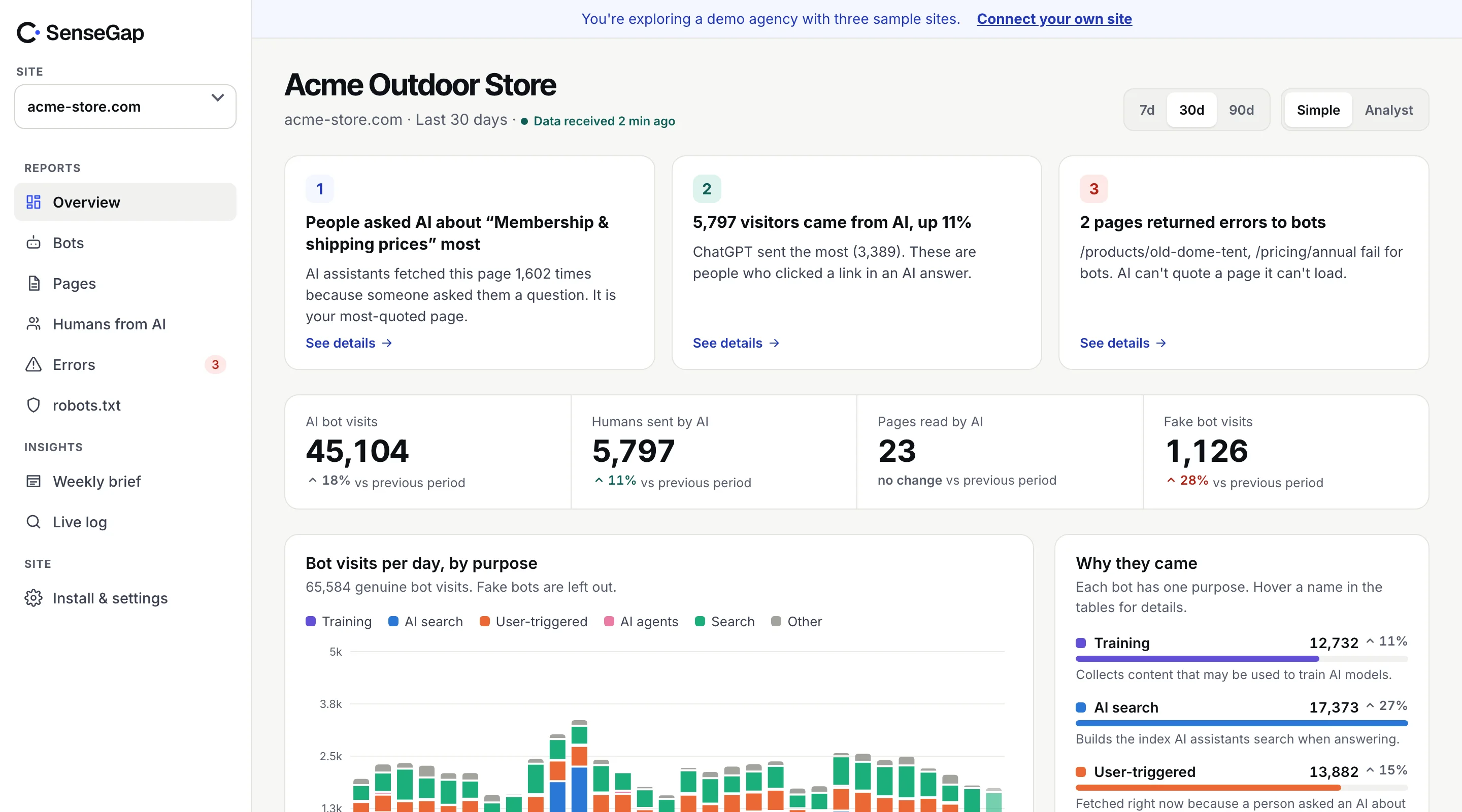
 See it on a real storeBots, pages and people sent by AI on an example store. No sign-up.
Other, run by Google.
What is AdsBot-Google? Google's crawler outside search and AI. Verifiable by IP ranges and reverse DNS.
Run by Google.
Purpose: Other. A visit means the crawler fetched your page for its own job, outside search rankings and AI answers.
robots.txt name: AdsBot-Google.
Verifiable by IP ranges and reverse DNS.
At a glance, the facts in one table.
AdsBot-Google at a glance. Taken from SenseGap's open bot directory, the same data that sorts every visit in the dashboard.
All bots| AdsBot-Google | |
|---|---|
| Operator | |
| Purpose | Other |
| User agent contains | AdsBot-Google, Mediapartners-Google |
| robots.txt name | AdsBot-Google |
| Verification | IP ranges + Reverse DNS |
| Documentation | None listed |
Purpose, what it does and why it came.
What AdsBot-Google does. SenseGap sorts every visit by purpose. AdsBot-Google is in the Other group.
AdsBot-Google is Google's crawler for purposes other than search or AI answers. AdsBot-Google checks the quality of landing pages used in Google Ads. The same entry also matches Mediapartners-Google, the AdSense crawler.
What a visit means
A visit means the crawler fetched your page for its own job, outside search rankings and AI answers.
Detection, the header SenseGap matches.
How SenseGap recognizes AdsBot-Google. By its User-Agent header. A separate check then decides whether the visit is real.
Every request carries a User-Agent header naming the software that sent it. SenseGap counts a request as AdsBot-Google when that header contains any of AdsBot-Google or Mediapartners-Google, in any letter case. The header is plain text, so any script can copy it. Matching the name is where recognition starts, not where trust starts.
/AdsBot-Google|Mediapartners-Google/iVerification, how to tell a real visit from a fake.
How to verify AdsBot-Google. Google publishes its IP ranges and DNS names, so a real visit can be proven.
How we verify botsspecial-crawlers.json
Published by Google at developers.google.com. A real AdsBot-Google visit comes from an address in this list.
Open the listChecked on every visit
SenseGap runs both checks on every visit that claims to be AdsBot-Google, IP ranges first, then reverse DNS confirmed by a forward lookup. A pass is marked Real. A visit that sends the name and fails is marked Fake, and stays out of your other reports.
- 01
Look up the visiting address
Run a reverse DNS lookup on the IP address the request came from. It returns a hostname.
- 02
Check the hostname
The hostname must end in .googlebot.com, .google.com or .googleusercontent.com. Anything else is not AdsBot-Google.
*.googlebot.com *.google.com *.googleusercontent.com - 03
Look the hostname up again
Run a forward lookup on that hostname. It must return the same IP address, otherwise the reverse record could have been set by anyone.
$ host <visiting-ip>
… domain name pointer <hostname>.googlebot.com.

$ host <hostname>.googlebot.com
<hostname>.googlebot.com has address <visiting-ip>
robots.txt, rules you can copy.
Block or allow AdsBot-Google in robots.txt. Its robots.txt name is AdsBot-Google. Paste a group into the robots.txt at your site's root.
User-agent: AdsBot-Google
Disallow: /User-agent: AdsBot-Google
Allow: /User-agent: AdsBot-Google
Disallow: /private/One rule catches people out. Under the robots.txt standard (RFC 9309), a crawler that finds a group naming it follows only that group and ignores your User-agent: * rules. If you add a AdsBot-Google group, repeat in it anything from the catch-all group you still want applied.
Google documents that AdsBot ignores the catch-all User-agent: * group. To restrict it, name it explicitly.
robots.txt is a request, not a lock. To enforce a block, match the User-Agent header at your server or CDN. In nginx:
# nginx, inside a server block
if ($http_user_agent ~* "AdsBot-Google|Mediapartners-Google") {
    return 403;
}
SenseGap reads your robots.txt and shows, bot by bot, what you allow and which bots fetched pages you disallowed. See what you get.
Trade-off, what blocking changes.
Should you block AdsBot-Google? It depends on what you want from Google. Here is what each choice means.
If you allow it
The service the crawler supports keeps working with your site.
If you block it
The service the crawler supports may stop working with your site.
Google, every bot it runs.
More bots from Google. Google runs 8 bots in the directory, each with its own job.
- Google-NotebookLMAnswering a person · IP ranges + Reverse DNS
- Google-CloudVertexBotAI search index · IP ranges + Reverse DNS
- Google-InspectionToolSEO tools · IP ranges + Reverse DNS
- GoogleOtherOther · IP ranges + Reverse DNS
- Storebot-GoogleSearch engines · IP ranges + Reverse DNS
- Google user-triggered fetcherOther · IP ranges + Reverse DNS
- GooglebotSearch engines · IP ranges + Reverse DNS
FAQ, AdsBot-Google in short answers.
AdsBot-Google, answered plainly
What is AdsBot-Google?
AdsBot-Google is Google's crawler for purposes other than search or AI answers. AdsBot-Google checks the quality of landing pages used in Google Ads. The same entry also matches Mediapartners-Google, the AdSense crawler.
Who runs AdsBot-Google?
Google. SenseGap's directory has no documentation link for it yet.
What does a visit from AdsBot-Google mean?
A visit means the crawler fetched your page for its own job, outside search rankings and AI answers.
What user agent does AdsBot-Google use?
Its User-Agent header contains one of "AdsBot-Google" or "Mediapartners-Google". SenseGap matches any of these regardless of letter case.
How do I block AdsBot-Google?
Add "User-agent: AdsBot-Google" followed by "Disallow: /" to your robots.txt. Google documents that AdsBot ignores the catch-all User-agent: * group. To restrict it, name it explicitly. robots.txt is a request, not a lock; to enforce it, block the user agent at your server or CDN.
How do I know a visit is really AdsBot-Google?
Google publishes the IP ranges AdsBot-Google uses (special-crawlers.json), so check that the visiting address falls inside one of them. You can also run a reverse DNS lookup on the address: the hostname must end in .googlebot.com, .google.com or .googleusercontent.com, and a forward lookup of that hostname must return the same address. SenseGap runs these checks on every visit.
Does Google publish IP ranges for AdsBot-Google?
Yes, at https://developers.google.com/static/search/apis/ipranges/special-crawlers.json.
What happens if I block AdsBot-Google?
The service the crawler supports may stop working with your site.